5 Public Sector ADA Compliance Software Platforms Compared for 2026
The Americans with Disabilities Act has been federal law for more than three decades, yet accessibility gaps in public infrastructure remain widespread. Despite the ADA being in effect for over 30 years, physical accessibility gaps persist. One survey found that 60.4% of respondents with mobility disabilities had experienced serious difficulty or were completely unable to enter a public building because of missing wheelchair ramps, automatic doors, or elevators. At the same time, an interim final rule published on April 20, 2026, moved Title II digital compliance deadlines back by one year, giving public entities serving 50,000 or more residents until April 26, 2027, and smaller entities until April 26, 2028.
For public agency staff, the challenge goes beyond knowing the law. Government agencies with 50 or more employees must complete an ADA Transition Plan under the Americans with Disabilities Act of 1990, and they must keep it current through ongoing inspections, barrier tracking, and remediation documentation. Choosing the right software platform is where most agencies struggle. This comparison reviews five of the most relevant platforms for physical ADA compliance in the public sector, starting with the one built specifically for the job.
Key Takeaways
- Deadline urgency is real: Seyfarth Shaw reported 3,117 federal website accessibility lawsuits in 2025, up 27% from the 2,452 filed in 2024. Agencies that lack documented, current transition plans face escalating legal exposure.
- Purpose-built beats generic: According to BlueDAG’s grievance tracking guide, tools designed specifically for ADA Title II compliance connect grievance intake to barrier tracking, transition planning, and remediation in one system, eliminating the data silos that create liability.
- Most agencies are behind: BlueDAG’s homepage data reports that 70% of U.S. municipalities lack a current ADA transition plan. If your agency is in that group, audit your software stack now before the next compliance deadline.
- Physical and digital compliance are separate workstreams: OxMaint is a facility maintenance compliance platform that tracks physical building components covered by the ADA Standards for Accessible Design; the digital content deadline applies to a separate compliance workstream typically owned by communications teams. Choose a platform matched to the specific workstream you need to manage.
- Field inspection efficiency matters: Corada’s BlueDAG product summary reports that a 50% to 75% reduction in inspection and reporting time is possible with BlueDAG’s standards engine and smart checklists. Therefore, if your current inspection process is slow and paper-heavy, switching to a purpose-built tool should be your first priority.
Quick-Start Prioritization Framework
Platform | Best For | Effort to Deploy | Focus Area |
|---|---|---|---|
BlueDAG | Public agencies managing Title II end-to-end | Low, purpose-built, no configuration | Physical + transition plan + grievances |
Esri ArcGIS | Agencies with existing GIS infrastructure | High, requires customization | Right-of-way mapping and data layers |
Kimley-Horn KADA | Agencies outsourcing their evaluations | Medium, consultant-led | Facility and PROWAG field data |
OxMaint AI | Facilities teams tracking physical assets | Low, maintenance-focused setup | Building component drift and re-verification |
ServiceNow CSM | Enterprise IT environments needing audit trails | High, requires ADA workflow configuration | Grievance intake and enterprise ticketing |
Start here based on your situation:
- Small city or county with no current transition plan: BlueDAG, the fastest path from zero to a defensible, living transition plan without hiring a systems integrator.
- Agency with an existing Esri/GIS environment: ArcGIS paired with KADA or a custom field app; leverage what you already have before adding a new vendor.
- Facilities or public works team tracking building-level compliance drift: OxMaint AI, structured maintenance workflows keep physical components in spec between formal audits.
Platform 1: BlueDAG, Best for End-to-End Title II Compliance
Best for: Public agencies that need inspection, transition planning, grievance management, and remediation tracking in one purpose-built system.
Why BlueDAG Leads This List
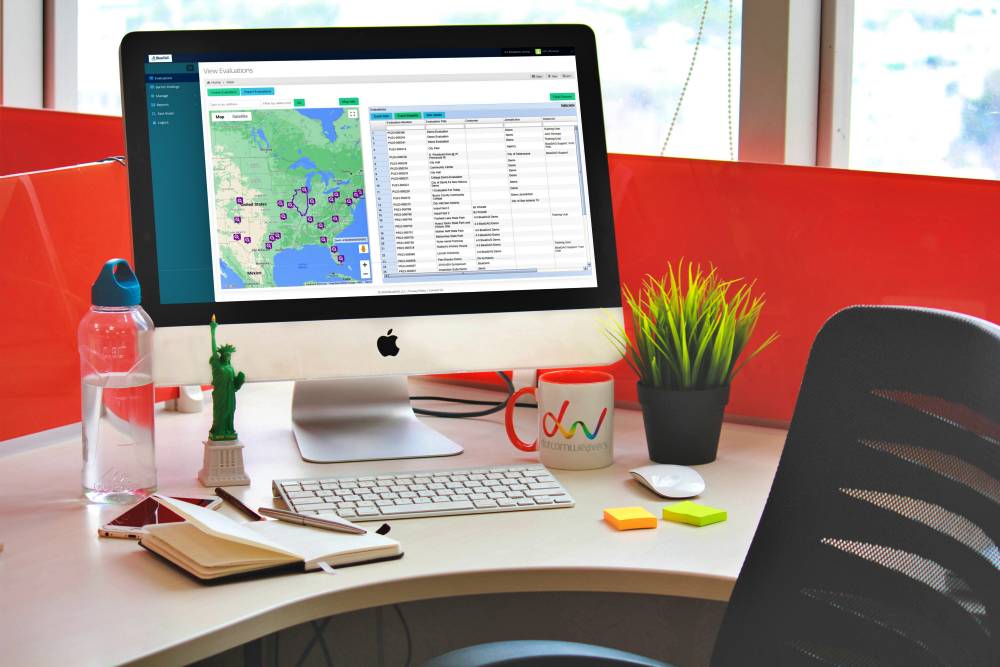
The BlueDAG platform is a cloud-based command center for ADA Title II compliance that gives agency staff a centralized, map-based view of every facility, barrier, and project in the jurisdiction. In my experience reviewing compliance software for government use cases, the biggest failure point is the “report in a drawer” problem: a consultant delivers findings, the document gets filed, and six months later no one can track what was fixed. BlueDAG was built by ADA compliance professionals to close exactly that gap.
The Living Transition Plan updates in real time as agencies identify and remediate barriers, helping them maintain a current compliance record that supports self-evaluation, reporting, and program management. This feature separates BlueDAG from every other platform on this list. Competing tools can track tasks or map assets, but none of them tie all three pillars- inspections, transition planning, and grievance management- into a single system the way BlueDAG does.
BlueDAG’s subject-matter experts maintain an inspection engine with nearly 100 national and regional accessibility standards, and public right-of-way work is difficult because it involves so many sidewalks, curb ramps, crosswalks, signals, and intersections. BlueDAG Virtual Pre-Inspection lets your team review public intersections from street-level imagery, tag locations that need field assessment, and organize the route before inspectors leave the office.
The Apprentice Mobile App lets inexperienced personnel perform on-site inspections by pointing and clicking through a simple series of questions and taking photos. That means agencies can scale inspections to park rangers, public works crews, or other staff without requiring specialized ADA training for everyone in the field.
Pro Tip: According to BlueDAG's platform overview, barrier data collected in the field flows directly into the dashboard and the Living Transition Plan updates automatically, so make sure your inspectors are syncing their mobile findings at the end of each field day, not batching uploads weekly.
Pros:
- Purpose-built for ADA Title II, no configuration required to align with federal obligations
- Living Transition Plan eliminates the need to manually update a static document after each inspection cycle
- Nearly 100 national and regional barrier standards maintained by in-house subject-matter experts
- Virtual Pre-Inspection for public right-of-way reduces windshield time before field work begins
- Apprentice Mobile App enables non-specialist staff to contribute reliable inspection data
- Integrates with SSO and Active Directory for enterprise IT environments
Cons:
- No free version; pricing is subscription-based and requires a demo to obtain a quote
- Primarily built for ADA Title II physical compliance, agencies also needing web/digital WCAG testing will need a separate tool
- Smaller agencies with very low inspection volumes may find the full platform more capacity than they need immediately
Platform 2: Esri ArcGIS, Best for GIS-Driven Right-of-Way Programs
Powerful Mapping, Significant Setup
City officials have used Esri’s ArcGIS to layer demographic data, such as disability prevalence, median household age, pedestrian demand, and limited transportation access, creating multi-dimensional compliance maps. For agencies already running ArcGIS for public works, transportation, or asset management, using the same platform for ADA right-of-way work is a logical extension.
Lawrence, Kansas, started using lidar technology on a slow-moving vehicle to capture information about its 6,500 ADA curb ramps, enabling the city to obtain slope data and an initial picture of curb conditions. The resulting dataset, layered in Esri’s ArcGIS Network Analyst, allowed the city to build a 20-year prioritized improvement plan. That is a genuinely impressive outcome, but it required significant technical expertise and integration work that most small agencies cannot replicate without a consultant.
Pro Tip: ArcGIS is most powerful when combined with a specialized field data collection app like ArcGIS Field Maps or a purpose-built ADA layer. If your GIS team is already proficient, adding an ADA-specific layer is a natural next step, but build a data dictionary first so inspection findings are coded consistently across departments.
Pros:
- Industry-standard GIS platform used by thousands of government agencies
- Excellent for spatial analysis, demand modeling, and visual storytelling to city leadership
- Highly flexible, can be configured to match almost any compliance workflow
Cons:
- Requires GIS expertise that many smaller agencies do not have in-house
- ADA compliance is not a native use case. Agencies must configure their own data models, inspection forms, and reporting templates
- Licensing costs add up quickly across a full enterprise environment
- No native transition plan management or grievance intake module
Platform 3: Kimley-Horn KADA, Best for Consultant-Led Self-Evaluations
Field-Proven but Consultant-Dependent
Kimley-Horn is a nationally recognized leader in ADA self-evaluation and transition plan assistance for local governments. Their team developed KADA, an ArcGIS/GPS-based data collection, data processing, and data management application used to develop and implement ADA Transition Plans. The tool is designed for Kimley-Horn consultants performing field evaluations on behalf of an agency, so the agency does not need internal GIS capacity.
Their team can evaluate facilities to identify and record noncompliance with applicable ADA Standards and Public Rights-of-Way Accessibility Guidelines (PROWAG). For agencies that simply need a defensible self-evaluation completed before a grant deadline or a DOJ inquiry, engaging Kimley-Horn with KADA is a proven approach.

Pros:
- Backed by experienced ADA compliance consultants who have done this work for hundreds of jurisdictions
- GIS-based output integrates well into agencies already using ArcGIS
- PROWAG-specific evaluation capability for right-of-way programs
Cons:
- The agency does not own or operate the software independently; ongoing updates depend on re-engaging the consultant
- Agencies are left without an internal system for tracking remediation progress after the report is delivered
- Cost per engagement can be significant for smaller jurisdictions with limited budgets
Platform 4: OxMaint AI, Best for Building-Level Facility Compliance Drift
Maintenance Workflow Meets Physical Compliance
ADA compliance is a continuous maintenance obligation, and the Department of Justice has made that point with $75,000 fines for a single first-time violation and $150,000 for repeat infractions. Public buildings, courthouses, libraries, and city halls accumulate accessibility drift between formal audits: a door closer is replaced with a non-compliant model, a grab bar is removed for repair and reinstalled at the wrong height, a curb ramp’s detectable warnings wear away.
OxMaint AI’s compliance tracking platform addresses this specific problem by turning ADA accessibility into a structured maintenance workflow with photo-verified inspections, where every finding is tied to the right asset. When a flagged accessibility component is replaced, the work order completion step requires re-verification of the new component against the applicable ADA standard, and the old component’s inspection history is preserved in the asset’s lifecycle record.
Pros:
- Structured maintenance workflows prevent compliance drift between formal audit cycles
- Photo verification tied to individual assets creates a defensible record
- Good fit for facilities management teams already using CMMS-style tools
Cons:
- Focused on physical building components only, does not address transition planning, grievance management, or program access
- Newer platform with a smaller track record in government environments than purpose-built ADA tools
- Does not natively connect building-level findings to an agency-wide ADA Transition Plan
Platform 5: ServiceNow CSM, Best for Enterprise IT Environments Needing Audit Trails
Powerful Workflow Engine, Manual ADA Configuration Required
ServiceNow Customer Service Management (CSM) is a broad enterprise workflow platform used widely across state and federal agencies for case management, service requests, and compliance ticketing. According to BlueDAG’s grievance tracking analysis, ServiceNow CSM is best suited for enterprise-scale IT environments that depend on compliance-heavy, audit-trail-dependent workflows.
For an agency that already runs ServiceNow and needs to add an ADA grievance intake workflow, configuring an accessibility complaint module within the existing platform can be more cost-effective than adding a new vendor. The challenge is that ADA compliance work requires domain-specific logic, barrier standards, remediation prioritization, and transition plan structure that ServiceNow does not provide out of the box.
Pro Tip: If your agency uses ServiceNow for other compliance workflows, configure a dedicated ADA grievance queue with mandatory fields for location, barrier type, and expected remediation date. Without those fields, complaint data becomes almost impossible to roll up into your transition plan reporting.
Pros:
- Excellent audit trail and approval workflow capabilities
- Integrates well into enterprise IT environments already on the ServiceNow platform
- Role-based access controls and enterprise-grade security
Cons:
- No native ADA standards engine, barrier library, or transition plan structure
- Requires significant configuration by IT staff or a ServiceNow partner to function as a compliance tool
- Does not connect grievance data to physical barrier documentation without custom development
- Not a practical option for agencies without existing ServiceNow licenses and internal developer capacity
How to Choose the Right Platform for Your Agency
The right platform depends on three questions: What compliance stage are you in? What internal technical capacity do you have? And what specific workstream do you need to manage first?
The ADA Title II web accessibility rule does not require public entities to achieve immediate or absolute perfection; what it requires is demonstrable progress toward a defined technical standard within clearly established compliance timelines. That means the most important move for most agencies is to get into a system that can document progress. A tool that captures field findings, updates a living transition plan, and logs grievances is more defensible than a perfect-looking spreadsheet.
Government agencies with at least 15 employees 15 employees are required to conduct a self-evaluation of their programs, current services, policies, and practices for discrimination and compliance, have a designated official responsible for ADA compliance, and have a grievance/compliance procedure. If your agency doesn't yet have all three elements documented and active, start there, and pick a platform that helps you check all three boxes rather than just one.
For agencies starting from scratch, BlueDAG is the most direct path. It is the only platform on this list where inspections, transition planning, and grievance intake share the same database by design. The others either require configuration, consultant engagement, or scope-limited deployment that leaves gaps an auditor or plaintiff’s attorney will find.
Frequently Asked Questions
What is an ADA Transition Plan and which agencies are required to have one?
Developing a Transition Plan for needed structural changes enables agencies to identify physical obstacles in facilities that limit access to their programs and activities for individuals with disabilities, and to specify steps and a schedule to achieve Title II compliance. Government agencies with 50 or more employees must complete an ADA Transition Plan under the Americans with Disabilities Act of 1990. If your agency meets that threshold and does not have a current, documented plan, you are already out of compliance.
What is the difference between physical ADA compliance and digital ADA compliance?
Physical compliance covers built-environment elements: accessible parking, curb ramps, building entrances, restrooms, sidewalks, and public right-of-way. Digital compliance covers websites, mobile applications, and online service portals under the WCAG 2.1 Level AA standard. OxMaint tracks the physical building components covered by the ADA Standards for Accessible Design, while web accessibility tools handle the digital workstream. Most agencies need both, managed separately.
What are the current ADA Title II compliance deadlines for government entities?
An interim final rule published on April 20, 2026, moved the compliance dates back by one year. A public entity with a total population of 50,000 or more has until April 26, 2027, and a public entity with a total population under 50,000, and any special district government, has until April 26, 2028. These dates apply to digital content. Physical accessibility obligations under Title II have been in effect since 1992 with no new phased deadline.
Can a general project management tool like Jira or a spreadsheet replace purpose-built ADA compliance software?
In practice, general tools create significant gaps. Staff at every level need to interact with the same platform so nothing gets lost in email threads or spreadsheets, and unlike generic project management tools adapted for compliance use, every feature in BlueDAG was designed specifically for ADA Title II obligations. Spreadsheets also create audit risk: they do not enforce data standards, cannot generate defensible reports automatically, and fail entirely when the person who built the spreadsheet leaves the agency.
How much does public sector ADA compliance software typically cost?
Pricing varies considerably by platform and agency size. BlueDAG uses a subscription model with plans tailored to agency scope; contact BlueDAG directly for a quote based on your jurisdiction’s size and compliance stage. Esri ArcGIS licensing is modular and often negotiated through state enterprise agreements. Consultant-led approaches like Kimley-Horn KADA are priced per engagement. OxMaint and ServiceNow are also subscription-based, with ServiceNow pricing typically reflecting enterprise contract structures. Budget time for implementation and training alongside the software cost itself, since onboarding is where most agencies underinvest.
Disclaimer: This article is provided for general informational and educational purposes only and is not intended to constitute legal advice or a legal opinion. While reasonable efforts have been made to provide accurate and current information, laws, regulations, standards, guidance, and interpretations may change, and no representation or warranty is made regarding the accuracy, completeness, or applicability of the information provided. References to tools, resources, or compliance approaches are for informational purposes only and do not guarantee compliance with the Americans with Disabilities Act (ADA) or any other applicable law or regulation. Readers should consult qualified legal counsel or other appropriate professionals regarding their specific circumstances. BlueDAG assumes no liability for any errors or omissions or for actions taken or not taken in reliance on the information contained in this article.
Sources
- BlueDAG Software Suite Overview, BlueDAG LLC. Cloud-based ADA Title II compliance platform for government agencies. https://www.bluedag.com/software.html
- BlueDAG Platform Homepage, BlueDAG LLC. Features, statistics, and use case overview. https://www.bluedag.com/
- BlueDAG How It Works, BlueDAG LLC. Detailed walkthrough of platform architecture. https://www.bluedag.com/how-it-works.html
- 7 ADA Grievance Tracking Tools, BlueDAG LLC. Comparison of grievance management tools for public agencies. https://www.bluedag.com/7-ada-grievance-tracking-tools-to-keep-your-agency-on-track.html
- BlueDAG Inspection Suite, BlueDAG LLC. Mobile inspection and field data collection tools. https://www.bluedag.com/the-inspection-suite/
- BlueDAG Product Summary, Corada. Third-party product description and efficiency benchmarks. https://www.corada.com/products/bluedag-software-and-mobile-application
- ADA Title II Deadlines Update, ADA Compliance Pros. Summary of April 2026 interim final rule moving compliance dates. https://www.adacompliancepros.com/industries/government
- Preparing Public Sector Digital Services for ADA Title II, Pivotal Accessibility. Overview of what the DOJ rule requires and does not require. https://www.pivotalaccessibility.com/2025/12/preparing-public-sector-digital-services-for-ada-title-ii-web-accessibility-by-2026/
- Improving ADA Compliance in the Built Environment with GIS, AI, Government Technology / StateScoop. Case studies from Lawrence, Kansas and Omaha using Esri ArcGIS. https://www.govtech.com/infrastructure/improving-ada-compliance-in-the-built-environment-with-gis-ai
- Esri Accessibility Overview, Esri Legal. Section 508 and WCAG conformance documentation for ArcGIS products. https://www.esri.com/en-us/legal/accessibility/accessibility-overview
- ADA Self-Evaluation and Transition Plan Services, Kimley-Horn. Consultant-led KADA tool description and PROWAG capabilities. https://www.kimley-horn.com/services/advisory/ada-transition-plan-accessibility-consulting-services/
- ADA Facility Compliance Maintenance for Public Buildings, OxMaint AI. Physical building compliance maintenance workflow platform. https://oxmaint.com/industries/government/ada-facility-compliance-maintenance-for-public-buildings
- ADA Transition Plan Requirements, MACOG (Michiana Area Council of Governments). Summary of employee thresholds triggering ADA obligations. https://www.ada.gov/resources/title-ii-primer/
- Local Governments Use GIS to Find and Fix Inaccessible Sidewalks, StateScoop. In-depth reporting on Esri ArcGIS use for curb ramp compliance. https://statescoop.com/gis-midwest-curb-ramp-accessibility-2025/