How ADA Photo Documentation Strengthens Your Compliance Record
Physical accessibility barriers remain a stubborn reality for millions of Americans. According to Pew Research Center, approximately 42.5 million Americans, 13% of the civilian noninstitutionalized population, live with some form of disability. Despite more than three decades since the Americans with Disabilities Act became law, research cited by AudioEye shows that 60.4% of respondents with mobility disabilities have experienced serious difficulty or been completely unable to enter a public building due to missing wheelchair ramps, automatic doors, or elevators. So if your organization manages public-facing facilities, the question isn't whether you face exposure; it is whether your records show what you have done about it.
This is where ADA photo documentation becomes one of the most practical tools in your compliance arsenal. A timestamped, organized photograph doesn’t just show what a barrier looks like; it becomes part of a defensible record that can influence the outcome of an inspection, a complaint, or a legal claim. This article explains why photo documentation matters, what it must capture, and how to build a system that actually holds up when it counts.
Key Takeaways
- Photo documentation creates defensible compliance records. According to property claims legal guidance, documentation should include inspection reports, photographs of completed work, and communications regarding accessibility upgrades; without these records, demonstrating corrective action becomes extremely difficult.
- Incomplete documentation is a leading cause of audit failure. Facility management data shows that 68% of facilities that fail an ADA or OSHA audit cite “incomplete documentation”, not missing physical fixes, as the root cause. Therefore, investing in a consistent photo process is often more impactful than the repairs themselves.
- Good-faith documentation measurably changes legal outcomes. ADA compliance guidance indicates that documented good-faith efforts can reduce average settlements by 40 to 60 percent. If your organization manages multiple sites, a structured photo record is a direct risk-management tool.
- Annual physical accessibility evaluations are a best practice. Legal guidance from Nisar Law Group recommends that physical accessibility evaluations occur at least annually using ADA checklists or professional accessibility consultants, with all findings documented.
- Mobile ADA photo documentation apps streamline the process. Purpose-built tools like the BlueDAG ADA inspection platform allow field teams to capture photos, apply standards, and generate transition-ready reports in a single workflow, cutting documentation time significantly compared with paper-based methods.
Quick-Start Prioritization Framework
Strategy | Best For | Effort Level | Time to Results |
|---|---|---|---|
Photo document parking and entrance areas | All facility types | Low | Immediate |
Conduct annual photo-based walkthrough with checklist | Properties with public access | Low to Medium | Weeks |
Use a mobile ADA photo documentation app | Multi-site organizations | Medium | 1 to 4 weeks |
Build a transition plan backed by photographic evidence | Public agencies, large facilities | Medium to High | 1 to 3 months |
Engage a professional accessibility inspector | Complex or high-risk facilities | High | 1 to 2 months |
Start here if you’re:
- A small business or single-site operator: Start with a photo walkthrough of parking, entrances, and restrooms using a printed ADA checklist, the fastest path to a basic defensible record.
- A public agency or larger organization: Use a mobile ADA photo documentation app paired with a formal self-evaluation to build a documented transition plan that satisfies Title II requirements.
- Responding to a complaint or demand letter: Prioritize dated, annotated photographic evidence of any remediation steps taken; legal guidance confirms this demonstrates good faith if litigation results.
Why Photo Documentation Is Central to Physical ADA Compliance
The Problem With Paper-Only Records
Most organizations approach ADA compliance as a checklist exercise. Staff walk a facility, check boxes, and file the form. The problem is that a checkmark carries almost no evidentiary weight when a complaint or lawsuit arrives. Property claims attorneys note that even when businesses make improvements, they often fail to maintain records showing what was done and when, and without that evidence, proving corrective actions were taken promptly becomes nearly impossible.
Paper checklists also degrade quickly. Forms get misfiled, handwriting becomes illegible, and inspection binders rarely survive staff turnover intact. Facility management experience confirms this: without a photo, a timestamp, and a responsible owner attached to each finding, a compliance audit can demand two weeks of document-hunting for what should take an afternoon.
What the Law Says About Records
The U.S. Access Board’s 2010 ADA Standards for Accessible Design set minimum requirements for physical accessibility across parking, routes, entrances, restrooms, and other elements. Public entities operating under Title II must conduct self-evaluations, and those with 50 or more employees must maintain a transition plan. The Ohio Department of Transportation’s ADA transition guidance states that documentation is essential to achieving ADA compliance and covers self-evaluation preparation, transition plan development, and ongoing monitoring.
Critically, FHWA guidance on ADA self-evaluation notes that the resulting inventory of facilities needing structural modification must be kept on file and made available for public inspection for three years after completion. That is a records requirement, not just a best-practice recommendation. If your documentation is photographic, organized, and date-stamped, meeting that standard is straightforward.
Pro Tip: Every photograph you take during a site inspection should capture three things: the physical element being evaluated (for example, the accessible parking space), a measurement reference if a dimension is relevant, and enough surrounding context that someone unfamiliar with the site can understand the location. Orphaned close-up shots with no context are far less useful in a review.
What Physical Elements Require Photo Documentation
Parking, Routes, and Entrances
Accessible parking is among the most frequently cited physical ADA violations. The U.S. Access Board’s parking standards require that accessible spaces connect via an accessible route to the facility entrance they serve, and van-accessible spaces must include a passenger-side access aisle where angled parking is used. Photographing each accessible space, including its striping, signage, surface condition, and access aisle, creates a baseline that shows what conditions existed at a given point in time.
Beyond parking, ADA.gov’s 2010 Standards define an accessible path of travel as a continuous, unobstructed route connecting parking, exterior approaches, and the facility entrance. This path includes sidewalks, curb ramps, lobbies, and corridors. U.S. Access Board guidance on ramps specifies that ramps and curb ramps are required along accessible routes to span changes in level greater than half an inch. Photographing these elements, including slope conditions, surface texture, edge protection, and landing dimensions, gives you documentation that a condition was either compliant or identified for remediation at a known date.
For entrances specifically, U.S. Access Board entrance standards require that at least 60% of public entrances be accessible in new construction. Photograph each public entrance: door width, hardware type, threshold height, and approach surface. If an entrance is non-accessible, photograph that too, along with any signage directing users to an alternative accessible entrance.
Restrooms and Interior Common Areas
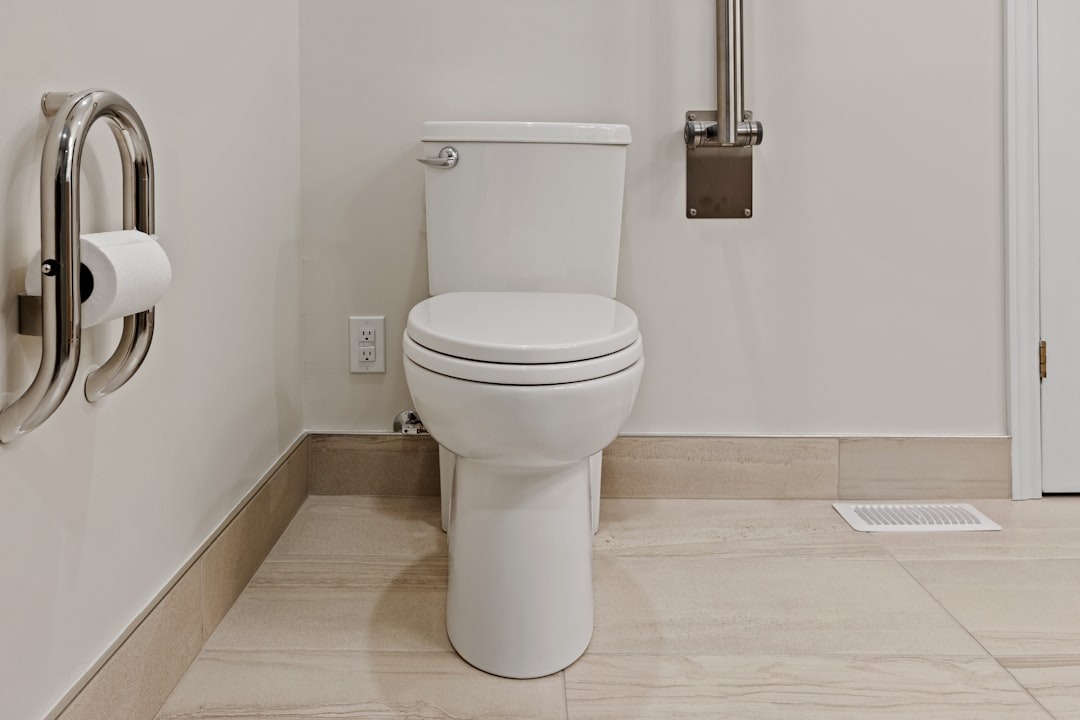
Restroom compliance involves the most precise dimensional requirements in ADA inspection; a toilet centerline even one inch outside the 16 to 18 inch range, or a grab bar at the wrong height, constitutes a violation. These are exactly the kinds of conditions that photographs can document clearly: toilet centerline distance from the side wall, grab bar placement, door clearance on both sides, and turning radius within the stall.
Interior common areas, service counters, waiting areas, corridors, and elevators also require documentation. ADA site audit guidance from Nova Polymers notes that elevators, counters, and meeting spaces should all be assessed for accessibility. Photographs showing counter height, clear floor space beneath counters, and aisle widths give you an evidence-based snapshot of conditions.
How Photo Documentation Supports a Legal Defense
Building a Good-Faith Record
In ADA compliance, courts and enforcement agencies look at behavior, not just outcomes. Legal analysis from 42lex.com explains that in practice, good faith effort means a business can show it took concrete, ongoing steps to identify and fix accessibility barriers. That documentation will not prevent every lawsuit, but it changes leverage, supports settlement arguments, and shows that barriers are being addressed systematically rather than ignored.
Defense attorneys specializing in ADA claims confirm that building a defensible compliance record before a claim is filed is the most reliable way to mitigate legal risk and reduce litigation costs. Photo records are central to that defense. Nisar Law Group guidance states that documenting all response efforts with detailed records of steps taken demonstrates a good-faith effort if litigation results, and may support a defense against claims of intentional discrimination.
What Happens Without Documentation
Facility operators who have gone through DOJ review describe a consistent pattern: findings went into a spreadsheet, and corrective actions disappeared into email threads. When they requested documentation years later, almost nothing was usable. Switching to a system where every finding has a photo, a timestamp, a responsible owner, and a closed corrective action reduced audit preparation from two weeks to one afternoon.
HR certification guidance reinforces this: by diligently recording every step of the compliance process, organizations create a powerful narrative of good-faith efforts. That narrative is only possible when photographs are paired with dates, locations, and corrective action records. A photograph without context shows awareness. A photograph with a timestamp, a linked corrective action, and a follow-up closure photo is evidence of a compliance program.
Pro Tip: Never delete or overwrite a photo of a non-compliant condition once remediation is planned. Keep the "before" photo and add a "after" photo once the fix is complete. Courts and enforcement agencies find the sequence of before-and-after documentation far more persuasive than a single current-state photograph taken after repairs were made.
Building a Practical Photo Documentation Process
Establishing a Consistent Inspection Cadence
Nisar Law Group’s ADA compliance guidance recommends physical accessibility evaluations at least annually. For high-traffic facilities or those with known barriers undergoing remediation, more frequent documentation makes sense. The key is consistency: a photo taken at the same inspection points, at predictable intervals, with the same level of detail, is far more credible than sporadic, reactive documentation.
ADA Action Guide resources suggest structuring your inspection around five primary question areas: whether employees know their ADA obligations, whether policies are equitable, whether physical barriers exist, whether structural changes are needed, and whether non-structural alternatives can substitute. Your photo documentation process should map directly to each of these areas so no category lacks a visual record.
Using an ADA Photo Documentation App
Paper-based documentation processes carry significant inefficiency. An 180-asset facility running a paper-based ADA checklist typically spends 12 to 15 hours per audit cycle just compiling records, and still loses points for missing photo evidence or unsigned entries. Mobile ADA photo documentation apps solve this by linking photos directly to specific barriers, locations, and standards at the moment of capture.
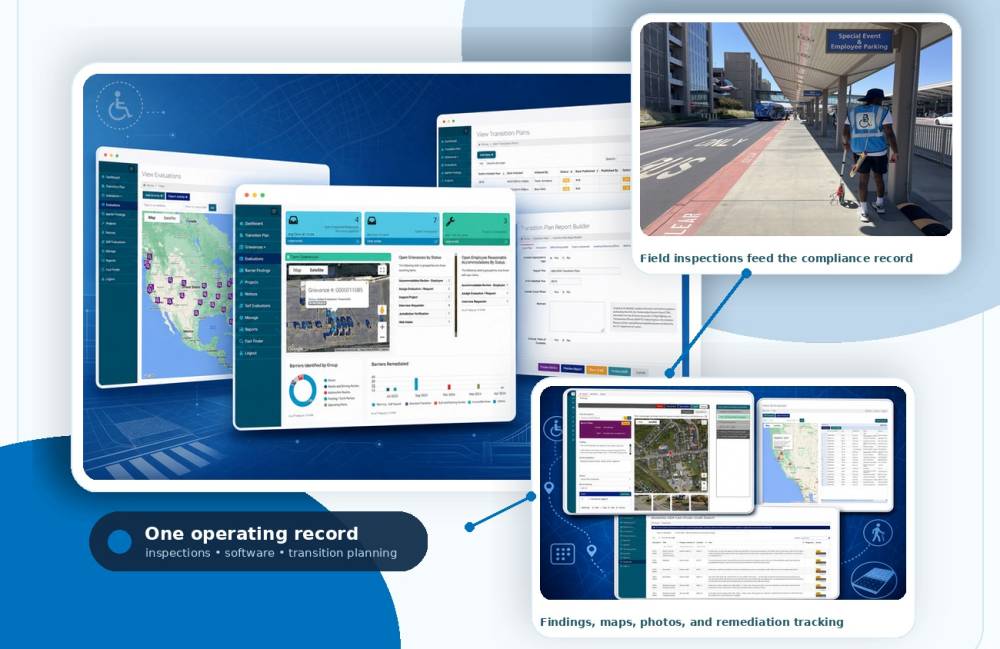
BlueDAG’s ADA inspection platform is built specifically for this workflow. The system includes a web-based application and mobile app that let users identify and record accessibility barriers and generate reports with findings and recommendations. BlueDAG’s Pro Mobile App speeds up capturing findings and photos in the field, with built-in photo editing tools that let inspectors add text, arrows, highlights, and size annotations to barrier photos. The result is an annotated, standards-linked photo record rather than an unsorted camera roll.
BlueDAG’s reporting system provides everything from detailed inspection reporting to generating complete transition plans, with historical snapshots that allow time-based review of previous reports. That time-based view is precisely what a defensible compliance record requires.
Pro Tip: When selecting an ADA photo documentation app for physical inspections, look for three core capabilities: the ability to annotate photos with text and measurement references in-app, automatic GPS tagging and timestamping, and direct integration with report generation or transition plan workflows. Apps that store photos in isolation without linking them to specific standards or locations produce records that are difficult to use in an audit or legal review.
Common Photo Documentation Mistakes to Avoid
Treating Photography as Optional
The single most common mistake is treating photo documentation as an add-on rather than a core step. Property claims legal guidance is direct: documentation should include inspection reports, contractor invoices, photographs of completed work, and communications regarding accessibility upgrades. Organizations that document only the final condition and skip photographing the barrier before remediation lose the ability to demonstrate the sequence of good-faith action.
Insufficient Coverage of Required Areas
A common failure is concentrating photo documentation on parking and entrances while overlooking interior routes, restrooms, and signage. ADA accessibility audit checklists cover at minimum six distinct areas: accessible parking, accessible route and entrance, doors and hardware, accessible restrooms, interior common areas, and documentation and transition plan status. If your photo record covers only the first two, it is incomplete.
No Corrective Action Linkage
A photograph of a violation without a linked corrective action record is incomplete documentation. Proactive compliance guidance shows that businesses implementing comprehensive accessibility programs reduce their litigation risk by approximately 78% compared to reactive compliance efforts. The reduction comes not from finding barriers but from demonstrating a systematic response to them. Every barrier photo should link to: a description of the required correction, an assigned responsible party, a target completion date, and a follow-up photo confirming closure.
Frequently Asked Questions
What should every ADA site inspection photo include?
Every barrier photo should show the physical element being evaluated with enough context to identify its location within the facility. When a measurement is relevant, such as door clearance width or counter height, include a tape measure or measurement reference in the frame. Add the date, location, and applicable standard reference in your documentation system. BlueDAG’s inspection workflow captures slopes, widths, routes, signs, equipment clearances, photos, and notes in a consistent accessibility workflow, which is a useful model for what a complete record looks like.
How often should physical ADA photo documentation be conducted?
Nisar Law Group recommends at least annual physical accessibility evaluations. Facilities undergoing construction or renovation, or those that have received complaints, should document more frequently. ADA accessibility audit checklists for real estate and property management recommend annual inspections, or immediately following any renovation that touches accessible elements.
Does photo documentation help if a complaint or lawsuit is already filed?
Yes, though earlier documentation is always better. Legal guidance on ADA claims defense is clear that documenting all response efforts with detailed records of steps taken demonstrates good faith. Even if documentation begins after a demand letter, a thorough photographic record of remediation steps taken, with dates, shows responsive, systematic action. Defense strategy guidance confirms that businesses maintaining inspection records and compliance efforts are in a stronger position during negotiations and litigation.
Does a transition plan need to include photographs?
Photographs are not explicitly required in every transition plan regulation, but FHWA self-evaluation guidance requires maintaining an inventory of facilities needing structural modification and keeping it available for inspection. Photographs are the most practical way to create that inventory in a format useful for prioritization, cost estimation, and review. BlueDAG’s Living Transition Plan updates in real time as barriers are identified and remediated, maintaining a current compliance record that supports self-evaluation work and program management.
What is the difference between a self-evaluation and a transition plan in terms of photo records?
A self-evaluation surveys your current conditions, which is where photographic evidence of existing barriers belongs. A transition plan then documents the schedule and method for removing those barriers. The Ohio Department of Transportation’s ADA transition guidance notes that compliance includes conducting a self-evaluation of building facilities, rights-of-way facilities, and communications to identify accessibility obstacles. Your photo documentation feeds the self-evaluation. Your before-and-after photo pairs and corrective action records feed the transition plan. Together, they form one continuous compliance record.
Disclaimer: This article is provided for general informational and educational purposes only and is not intended to constitute legal advice or a legal opinion. While reasonable efforts have been made to provide accurate and current information, laws, regulations, standards, guidance, and interpretations may change, and no representation or warranty is made regarding the accuracy, completeness, or applicability of the information provided. References to tools, resources, or compliance approaches are for informational purposes only and do not guarantee compliance with the Americans with Disabilities Act (ADA) or any other applicable law or regulation. Readers should consult qualified legal counsel or other appropriate professionals regarding their specific circumstances. BlueDAG assumes no liability for any errors or omissions or for actions taken or not taken in reliance on the information contained in this article.
Sources
- 8 Facts About Americans with Disabilities, Pew Research Center. Disability prevalence and workplace accessibility data. https://www.pewresearch.org/short-reads/2023/07/24/8-facts-about-americans-with-disabilities/
- Disability Statistics in the U.S., AudioEye. Physical accessibility gap statistics for mobility disabilities. https://www.audioeye.com/post/disability-statistics-in-the-us/
- Common Mistakes in ADA Litigation, Property Claim Law. Documentation requirements for ADA defense. https://propertyclaimlaw.com/common-mistakes-in-ada-litigation-ada-claims-defense-tips-to-protect-your-business/
- ADA Facility Accessibility Checklist Guide, OxMaint. 68% incomplete documentation statistic and paper-audit inefficiency data. https://oxmaint.com/blog/post/ada-facility-accessibility-checklist-guide
- What is Good Faith Effort in ADA Compliance?, ADA Quick Scan. Settlement impact of good-faith documentation. https://adaquickscan.com/blog/ada-good-faith-documentation-guide
- Common ADA Violations, Nisar Law Group. Annual evaluation recommendations and documentation standards. https://www.nisarlaw.com/blog/2025/september/common-ada-violations/
- BlueDAG ADA Compliance Platform, BlueDAG LLC. Inspection suite features, mobile app capabilities, and Living Transition Plan. https://www.bluedag.com/
- 2010 ADA Standards for Accessible Design, ADA.gov / U.S. Department of Justice. Path of travel and accessible design requirements. https://www.ada.gov/law-and-regs/design-standards/2010-stds/
- ADA Transition Plan Template and Resources, Ohio Department of Transportation. Documentation requirements for self-evaluation and transition planning. https://www.transportation.ohio.gov/programs/ltap/technical-assistance/ada-transition
- How to Develop an ADA Self-Evaluation and Transition Plan, FHWA. Self-evaluation inventory and public inspection record requirements. https://www.fhwa.dot.gov/resourcecenter/teams/civilrights/cr_ppp7.ppt
- Chapter 5: Parking Spaces, U.S. Access Board. Accessible parking space and access aisle standards. https://www.access-board.gov/ada/guides/chapter-5-parking/
- Chapter 4: Ramps and Curb Ramps, U.S. Access Board. Ramp and curb ramp dimensional requirements. https://www.access-board.gov/ada/guides/chapter-4-ramps-and-curb-ramps/
- Chapter 4: Entrances, Doors, and Gates, U.S. Access Board. Accessible entrance percentage requirements. https://www.access-board.gov/ada/guides/chapter-4-entrances-doors-and-gates/
- Documenting Good Faith Effort in ADA Compliance, 42lex.com. Legal analysis of good-faith documentation standards. https://www.42lex.com/en/ada/good-faith-evidence/
- ADA Compliance: How to Meet Your Legal Obligations, Daeryun Law. Defensible compliance record requirements. https://www.daeryunlaw.com/us/practices/detail/ada-compliance
- BlueDAG Inspection Suite, BlueDAG LLC. Mobile app features including photo editing and report generation. https://www.bluedag.com/the-inspection-suite/
- ADA Self-Evaluation and Transition Plans, ADA Action Guide. Self-evaluation survey structure and transition plan content. https://adaactionguide.org/action-steps
- ADA Accessibility Compliance Audit Checklist, POPProbe. Six-section checklist covering key physical inspection areas. https://www.popprobe.com/checklist-library/real-estate-property/safety-compliance/ada-accessibility-compliance-audit-checklist
- ADA Lawsuit Trends 2025, NK Legal. Proactive compliance litigation risk reduction statistics. https://www.nklegal.com/post/ada-lawsuit-trends-for-2025-to-date-what-business-owners-need-to-know
- ADA Claims Defense Strategies, Property Claim Law. Role of documentation in ADA legal defense. https://propertyclaimlaw.com/ada-compliance-lawsuits-ada-claims-defense-strategies-for-business-owners/